The key to customizing your PIMS

With Shepherd’s Open API, you can build the workflows and tools your practice needs and connect them directly to Shepherd.

Every practice has its own way of working
Your protocols, reporting, and team routines are shaped by years of decisions only your practice could make. Software built for everyone can only flex so far.
Shepherd’s Open API gives veterinary teams the freedom to build workflows, apps, or tools and connect them directly to your PIMS.
Learn more

Build with the AI tools you already use
Have an idea to make your practice more efficient or improve patient care? Securely connect Shepherd’s Open API to Claude, ChatGPT, Gemini, or your preferred AI tool and start building. You don’t have to be a software developer to get started.
Supported by Shepherd
The Developer Portal is where practices, technology partners, and developers go to build with Shepherd’s Open API. It brings together integration guidance and best practices to help you connect your technology and create workflows that fit the way your clinic works.

Three steps to start building
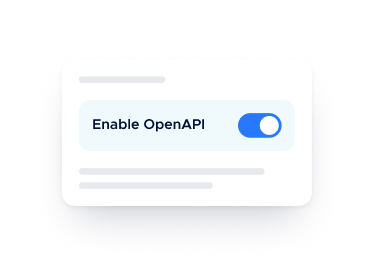
Turn on Open API
Clinic admins enable Open API in Shepherd whenever ready.
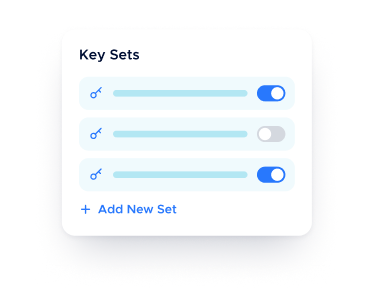
Generate your keys
Choose which roles can create keys, then generate the keys for your project.

Build what you need
Use your preferred AI tools to create your own systems connected to your Shepherd data.


Made to keep practices moving
Your PIMS holds your practice’s core data, and now it can do more. Build custom tools, connect them to Shepherd, and watch your veterinary practice thrive.
FAQs
Who can turn on Open API?
Clinic admins can turn on Open API in Shepherd at any time.
Who can create API keys?
Each clinic chooses which roles have permission to create keys.
How do I set up Open API?
Find setup steps and key management in our Open API help article.
Do I need to be a software developer?
No. You can connect Shepherd’s Open API to your preferred AI tool to get started. More complex builds may benefit from a developer or integration partner.
What can I build?
Custom workflows, reports and dashboards, client portals, marketing content, and other tools that use your Shepherd data.
Where can I find documentation?
Full documentation is available at developer.shepherd.vet.
Do other practice management software have an Open API portal?
No. While other vet practice management software solutions offer API access, they lack a developer portal that makes it easy to connect and start building.
“This is why I moved to Shepherd Vet. So I can innovate on top of our PIMS. Thanks for building your software in a way that allows third parties, like myself, to build my own solutions. I love it.”
Gunnar B.
Mountain View Animal Hospital
Shepherd was built by people who understand practice life.
Book a demo to see how else we support veterinary teams.
Schedule a demoDirector of Veterinary Medicine at Shepherd